Getting Started BBCSO Discover - Logic Pro
Getting Started: BBCSO Discover - Logic Pro
- Table of Contents
Getting Setup:
While you could use the BBCSO Discover plugin inside of Logic like any other third-party plugin, there are a few additional options that you may like to configure to make creating realistic orchestral mock-ups with Logic Pro and BBCSO Discover faster and easier.
Articulation Sets
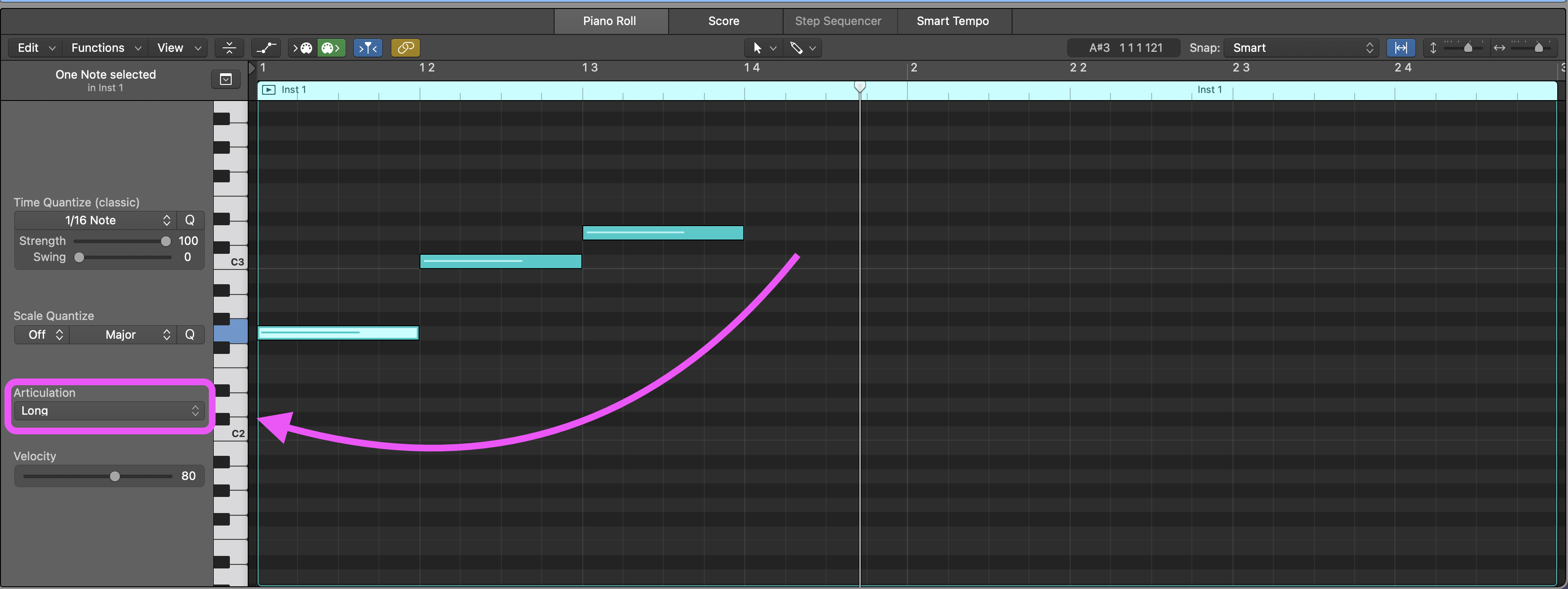
Logic Pro’s Articulation Sets make it easier to manage and specify which particular performance technique is to be used for each note within the Piano Roll. Once configured, a new “Articulation” dropdown menu will appear near the left side of Logic’s MIDI Editor window.
Installing the BBCSO Discover Articulation Sets:
-
Before installing these Articulation Sets, make sure that you have fully quit Logic Pro.
-
Begin by downloading the BBCSO Discover Articulation Sets.zip file.
-
Next, unzip the downloaded file and copy the entire “Spitfire BBCSO Discovery” folder and all of its contents to the following location on your computer:
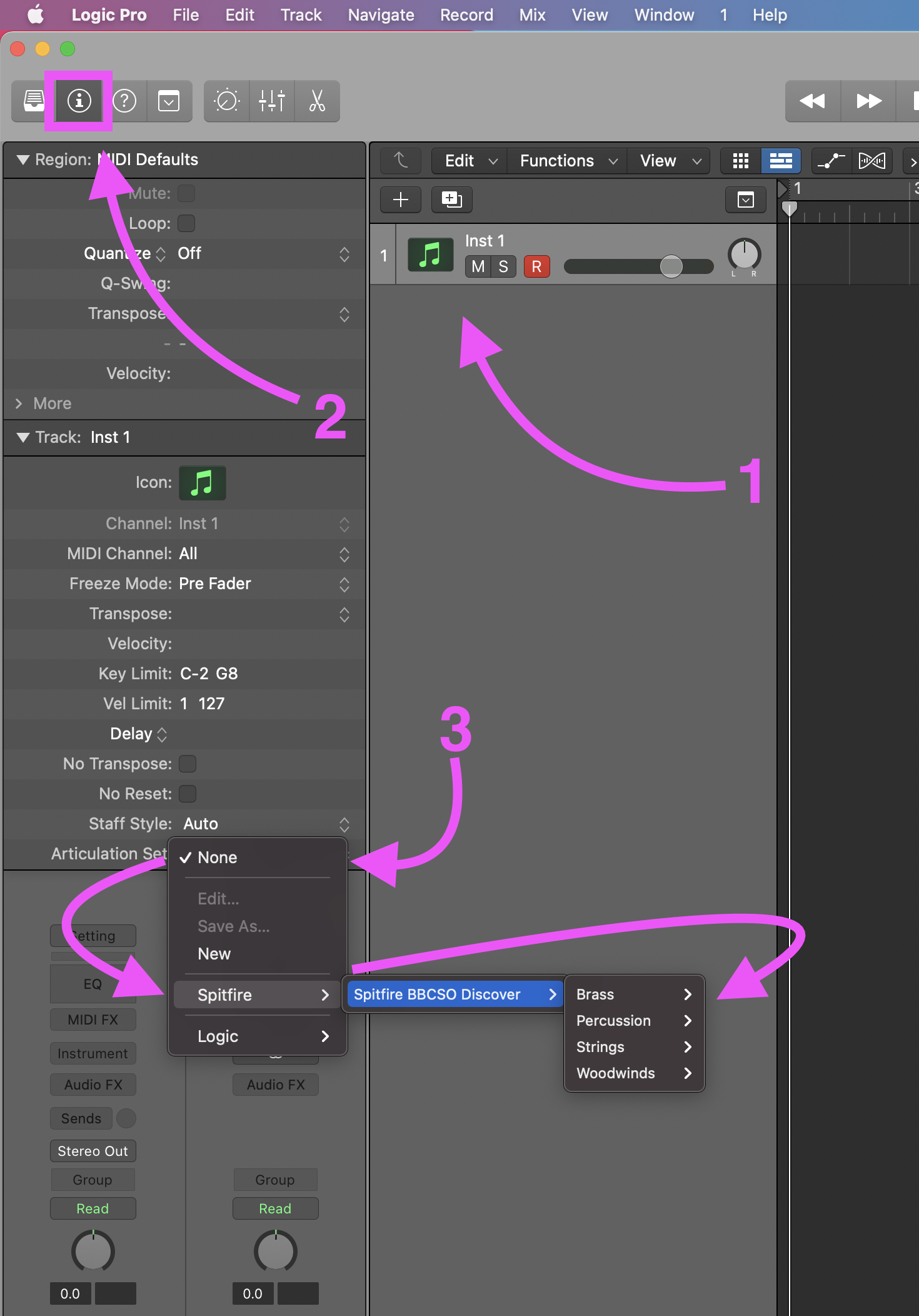
Macintosh HD/Users/[Your User Name]/Music/Audio Music Apps/Articulation Settings/Note: If you have not used articulation sets before in Logic you will not have an “Articulation Settings” folder. To create this folder, open an empty Logic project, create an instrument track, open the channel inspector, then expand the “Track” section, click on “Articulation Sets”, and then “New”.
-
You may now restart Logic Pro, and all the Articulation Sets should now be listed in the dropdown menu in each Software Instrument Track’s Inspector window.
Project Templates
Many composer like to speed up their workflow by using templates that are either general use, or specific to a project. Project templates are ideal for getting larger orchestral projects started quickly.
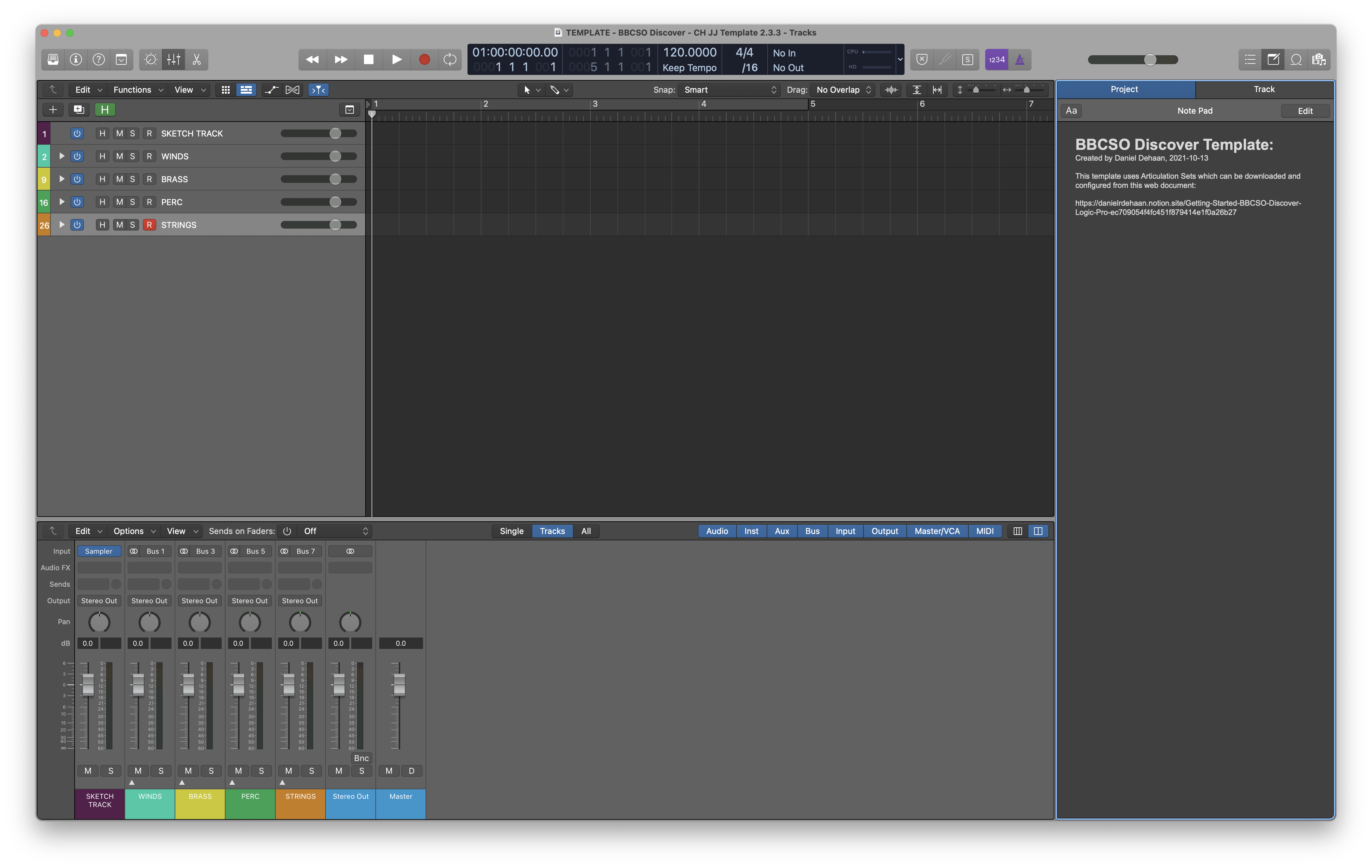
I have already created a basic project template for Logic Pro that organizes all the BBCSO Discover instruments into orchestral order, groups them by instruments families into summing Stack Tracks, and adds an auxiliary track to each group for quickly adding reverb via Sends.
Setting up the Template
-
Begin by downloading the Project Template.
-
Unzip the download file, and open it in Logic Pro.
-
Once the project has finished opening, inspect the project to be sure that
- All the instruments are loaded on the correct tracks and make sound
- Each track has the correct Articulation Set enabled
-
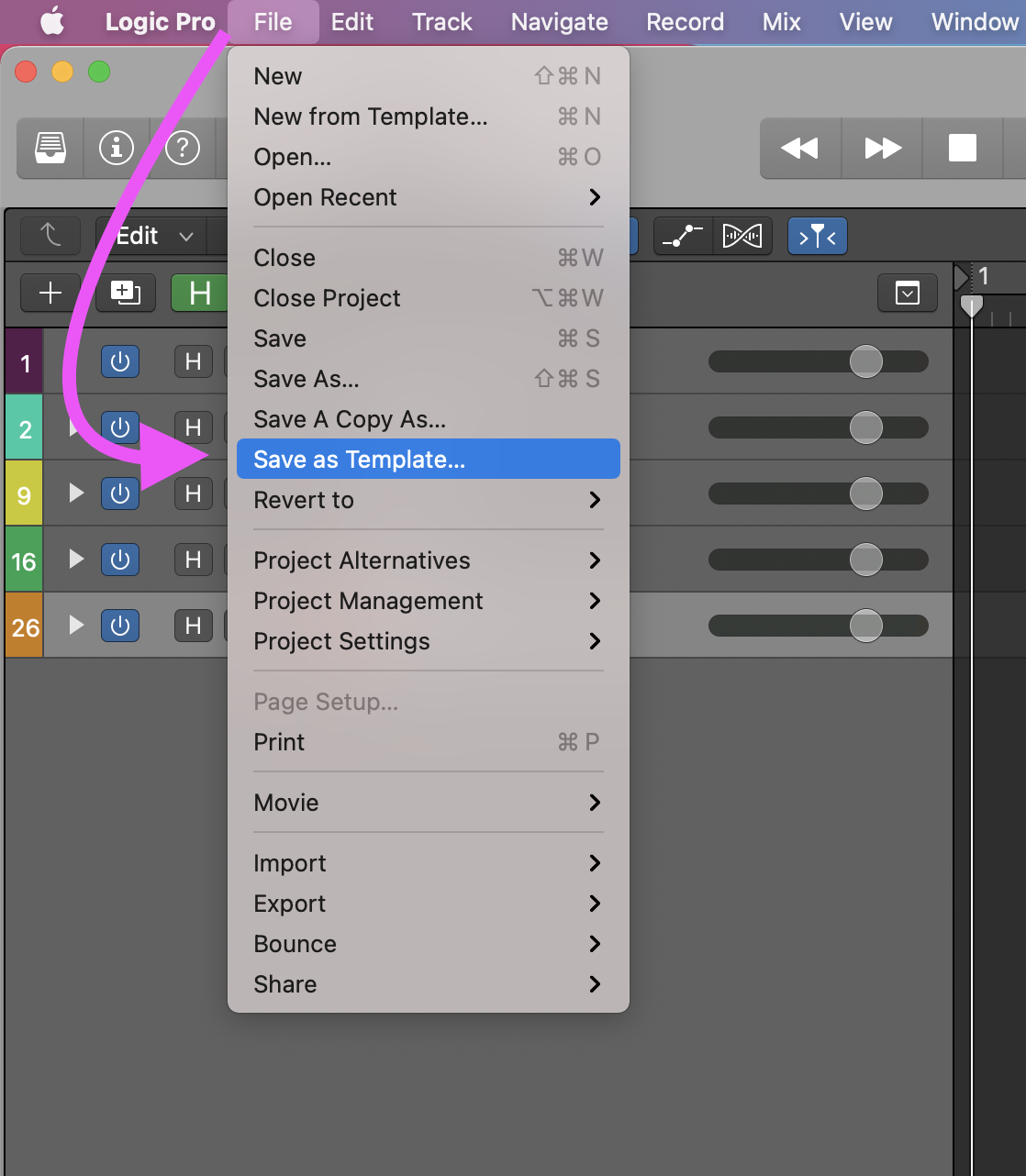
If everything appears to be in order, save the project as a template by navigating to the Menu Bar at the top of the Logic Window and choosing File > Save As Template…
-
Save the template to Logic’s Project Templates folder as “BBCSO Discover” located at:
/Users/[Your User Folder]/Music/Audio Music Apps/Project Templates/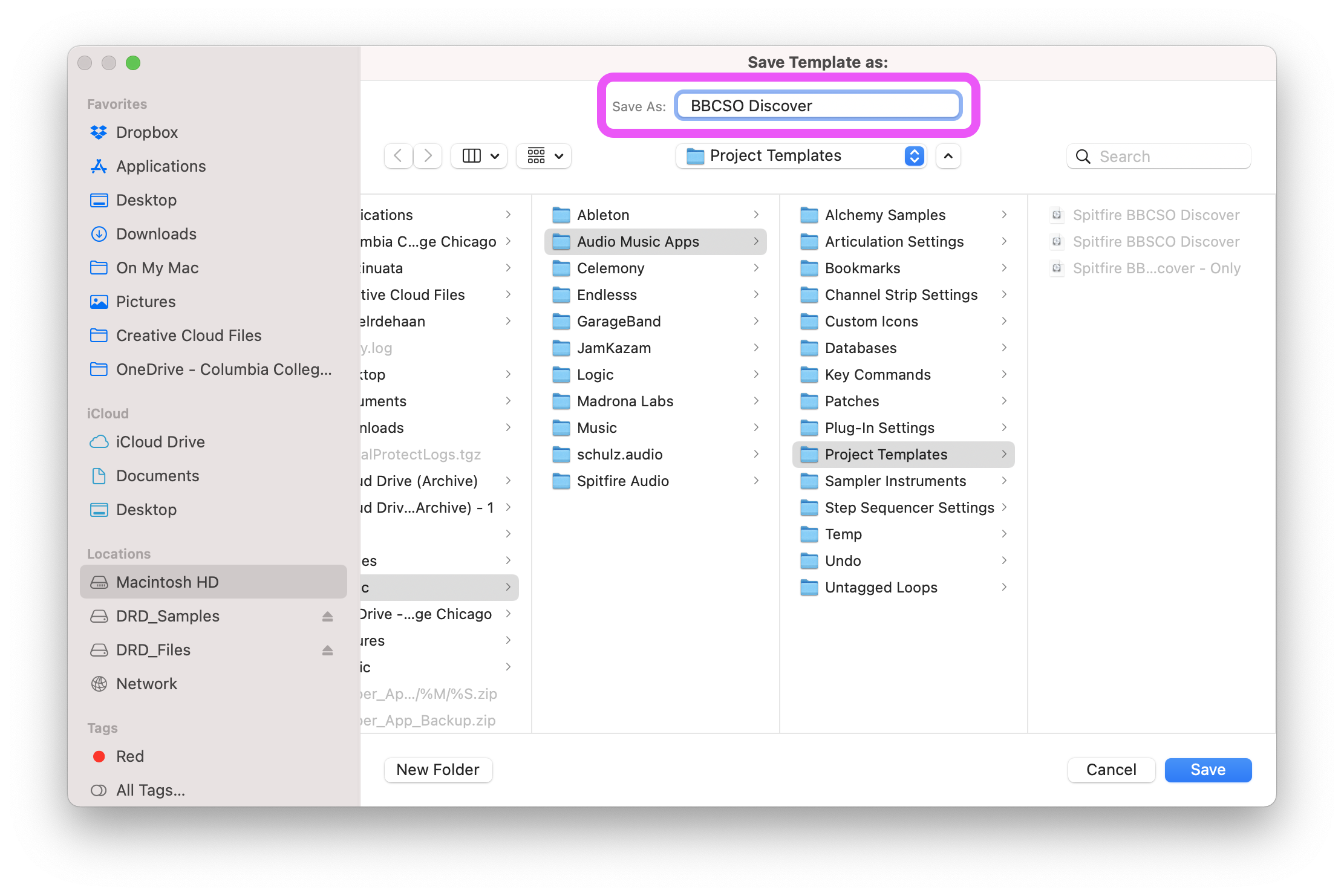
-
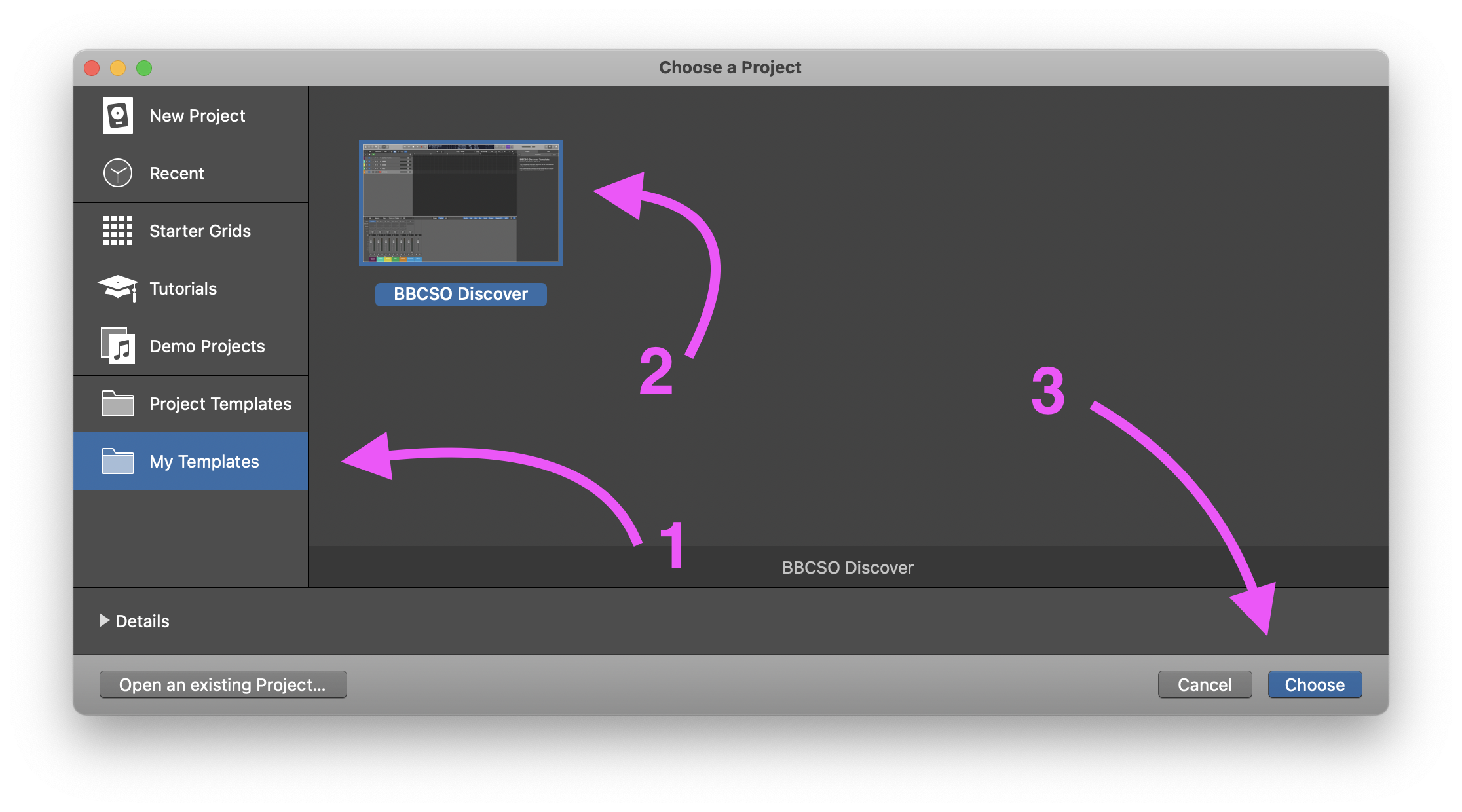
That’s it! Now, whenever you need to start a new orchestral project. You can Launch Logic Pro and create a new project from this template.
Using the BBCSO Discover Instruments
Begin by reviewing this walkthrough video to get a good idea of the instruments and sounds included in your BBCSO Discover collections.
Then, checkout this video to gain an understanding of the Plugin’s user interface and basic operations.