Logic Pro Changing the Default Click Sound
Logic Pro: Changing the Default Click Sound
📝 Note
- Open Logic’s Mixer, and show All tracks.
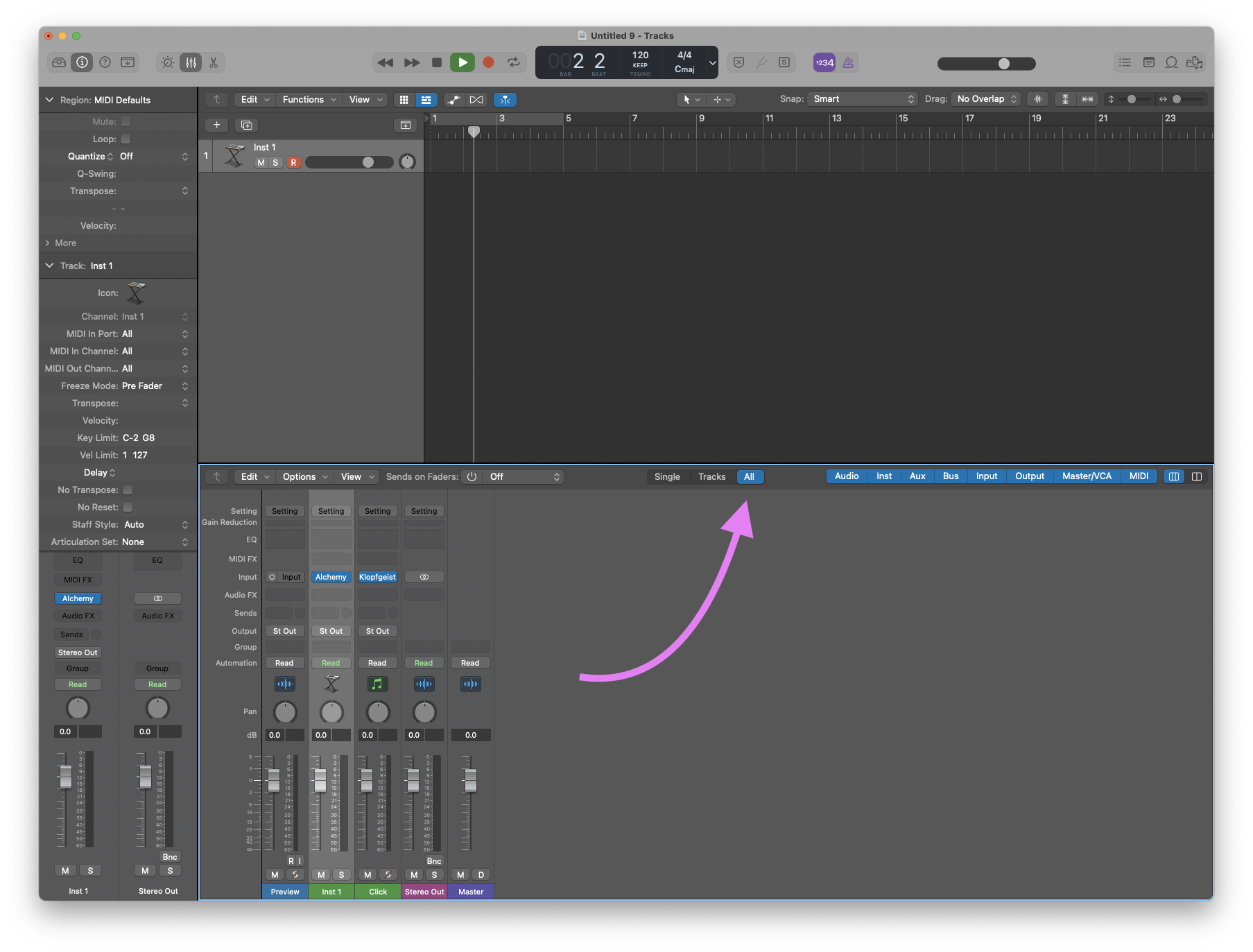
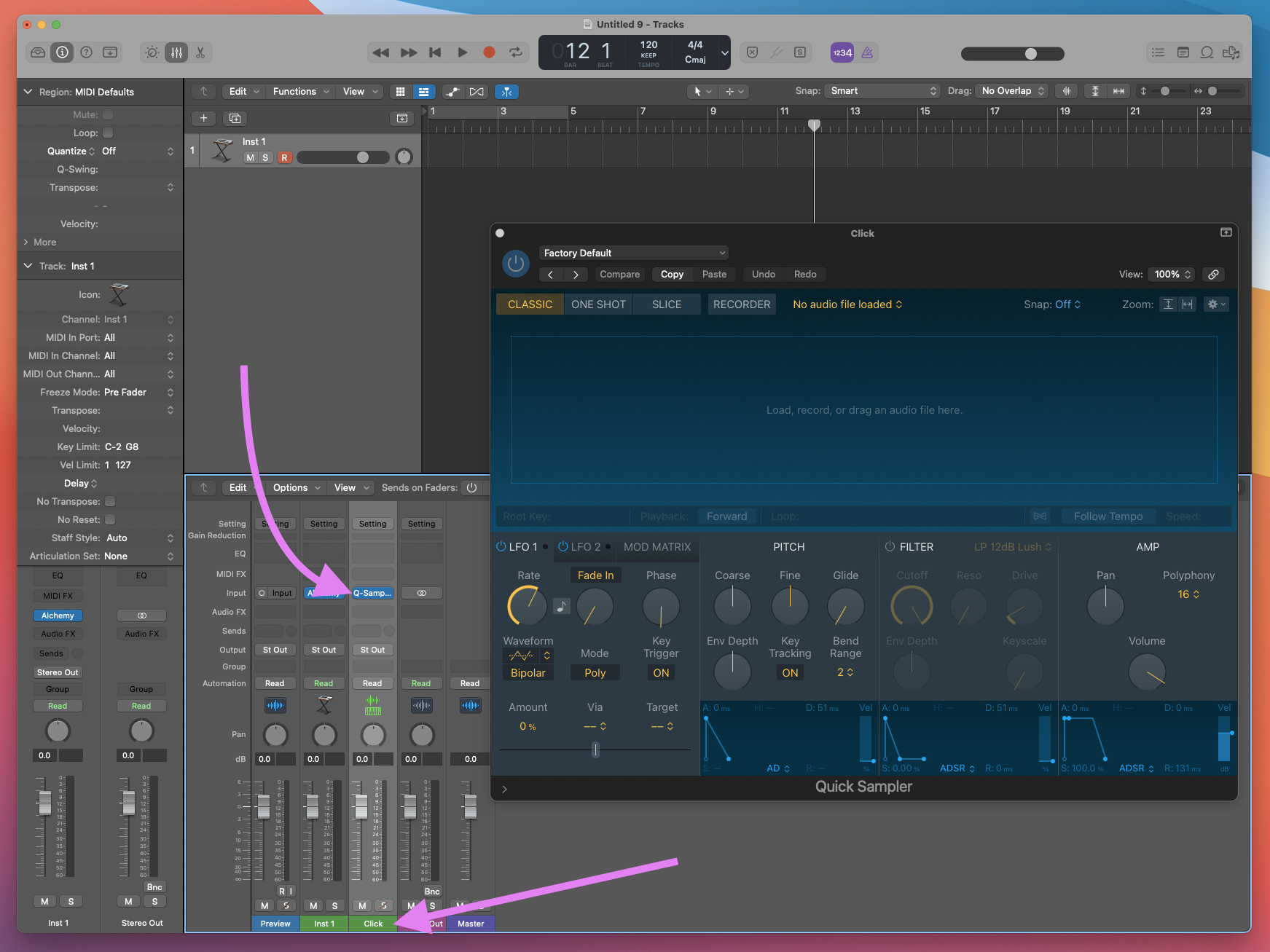
- Find the “Click” track and replace the existing Klopfgeist instrument with Logic’s Quick Sampler (mono).
- Rename the track back to “Click”
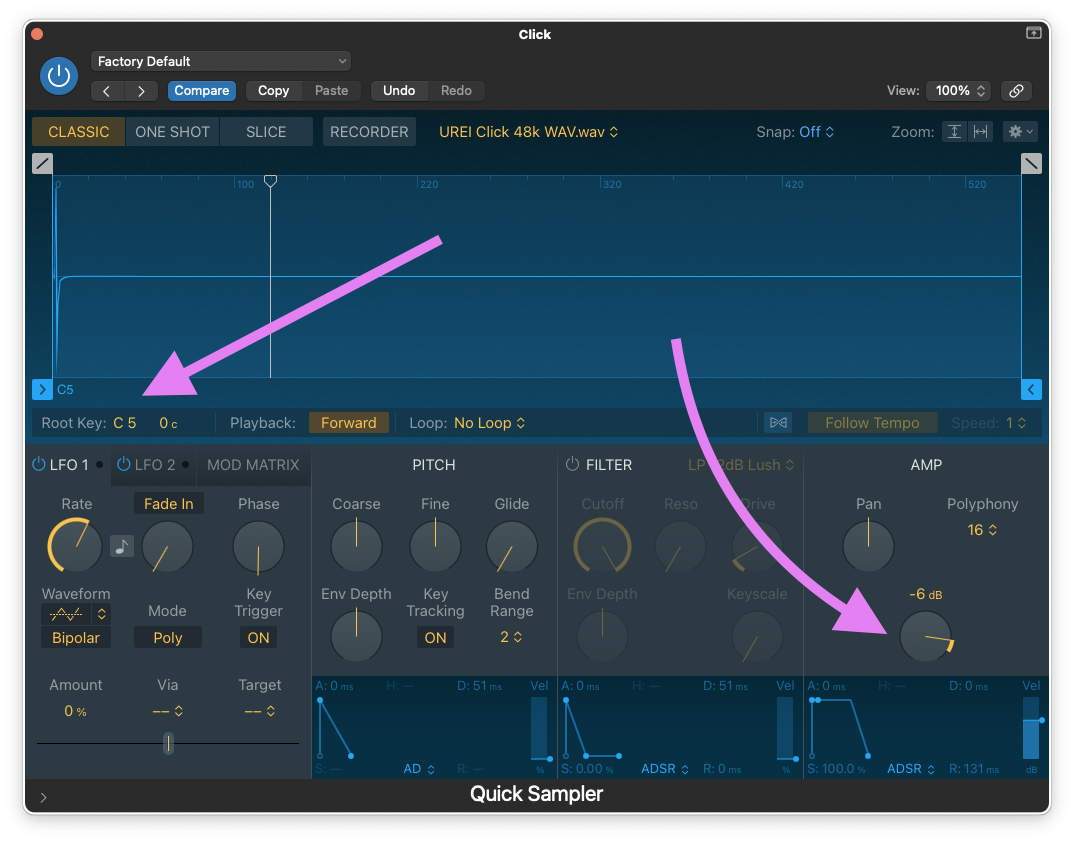
- Load the downloaded UREI CLICK.WAV file into the newly added Quick Sampler and set the Root Key to
C5then reduce the Volume to-6dB
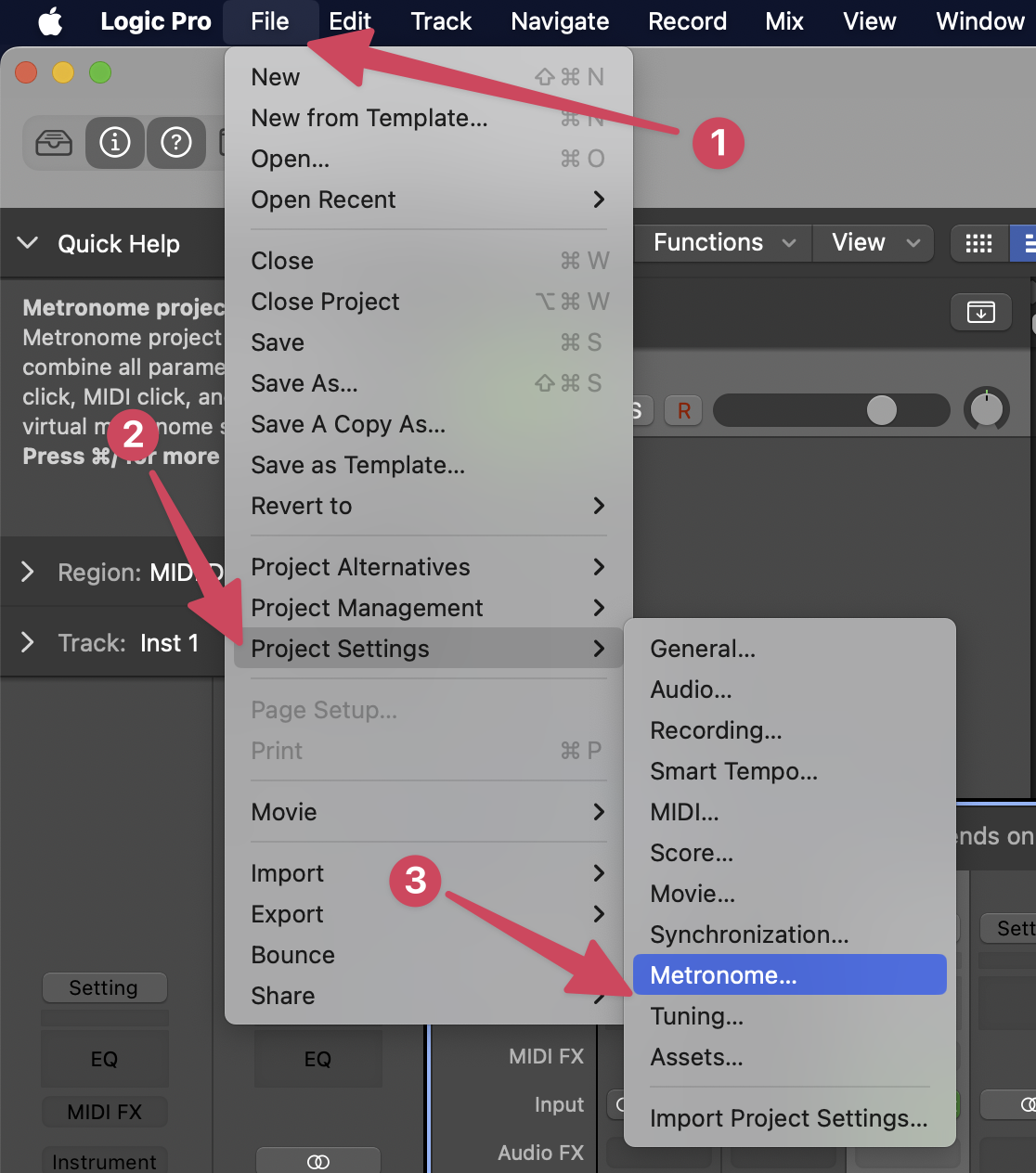
- Next, open your Project Settings > Metronome…
-
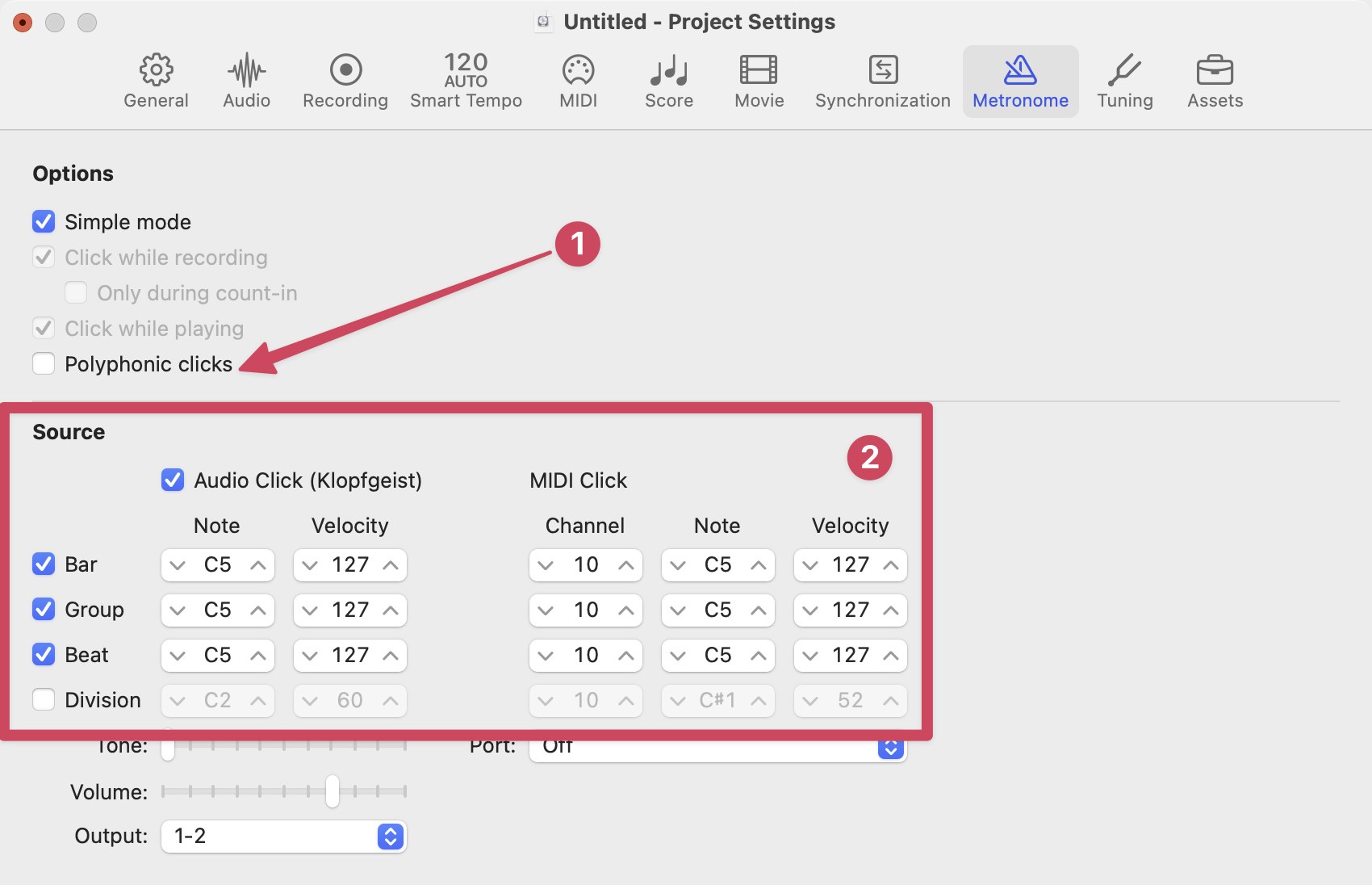
Adjust your metronome settings to match the following image.
-
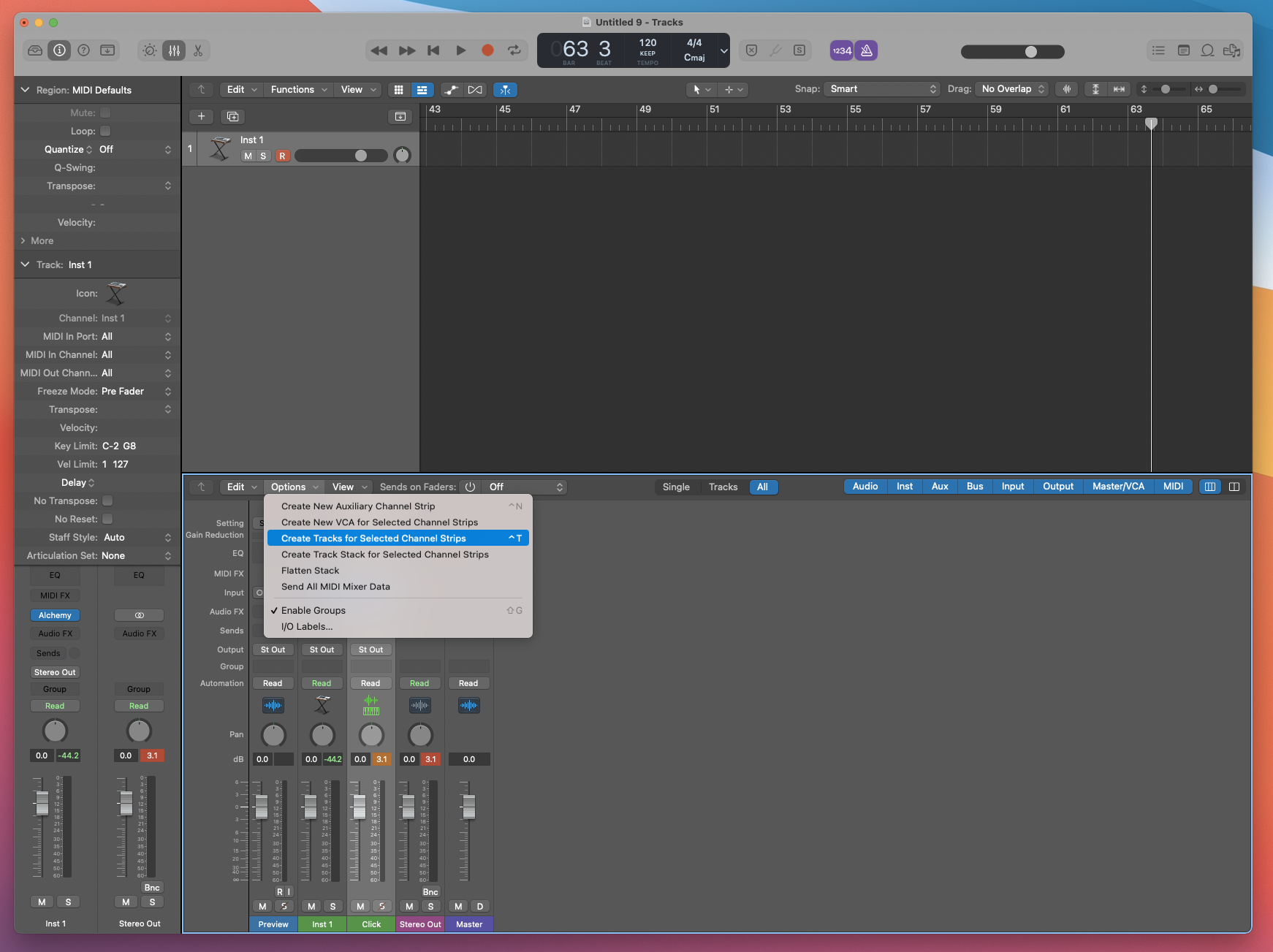
Add a track on the timeline for the Click Channel Strip
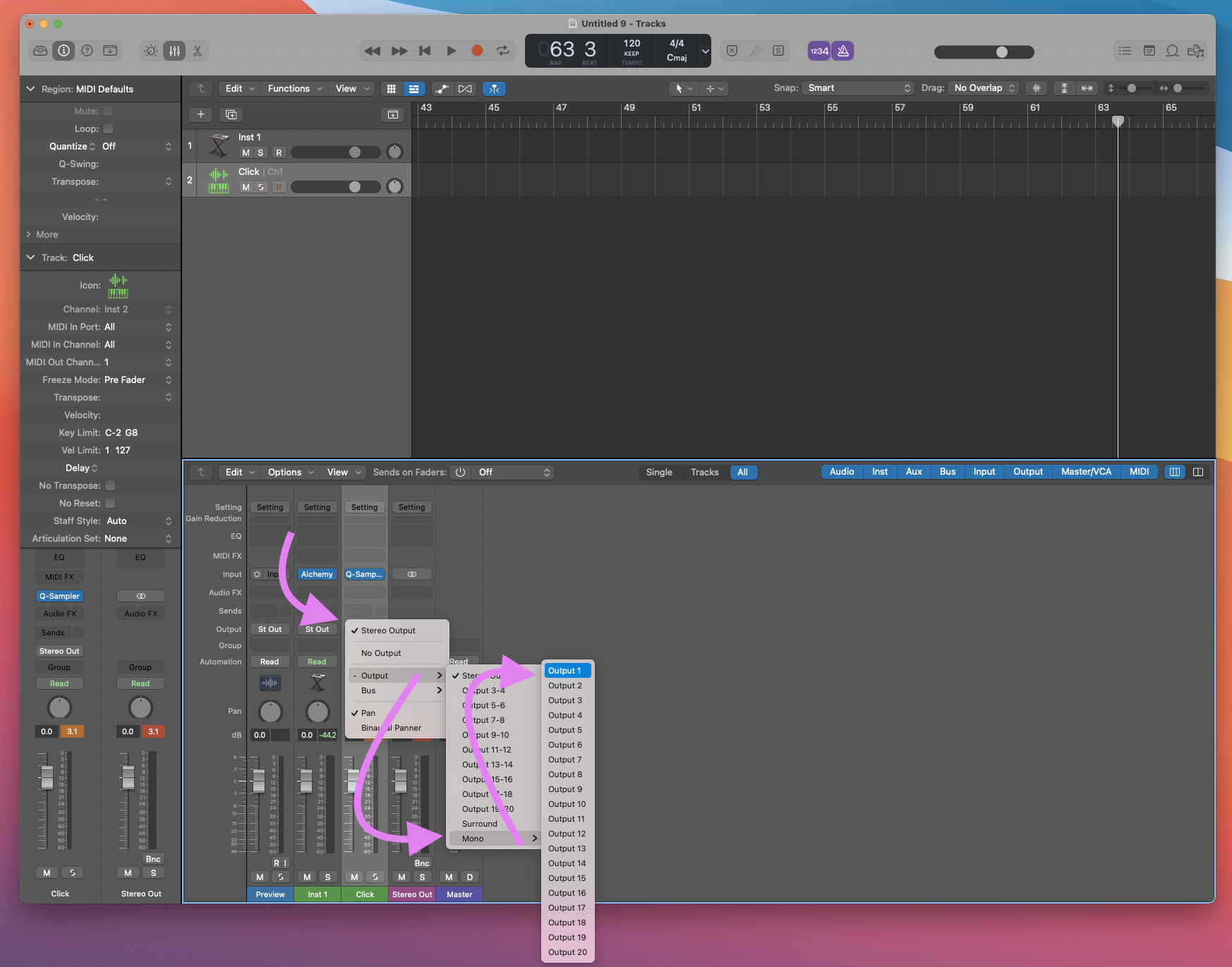
- Set the Click tracks output to be Mono
-
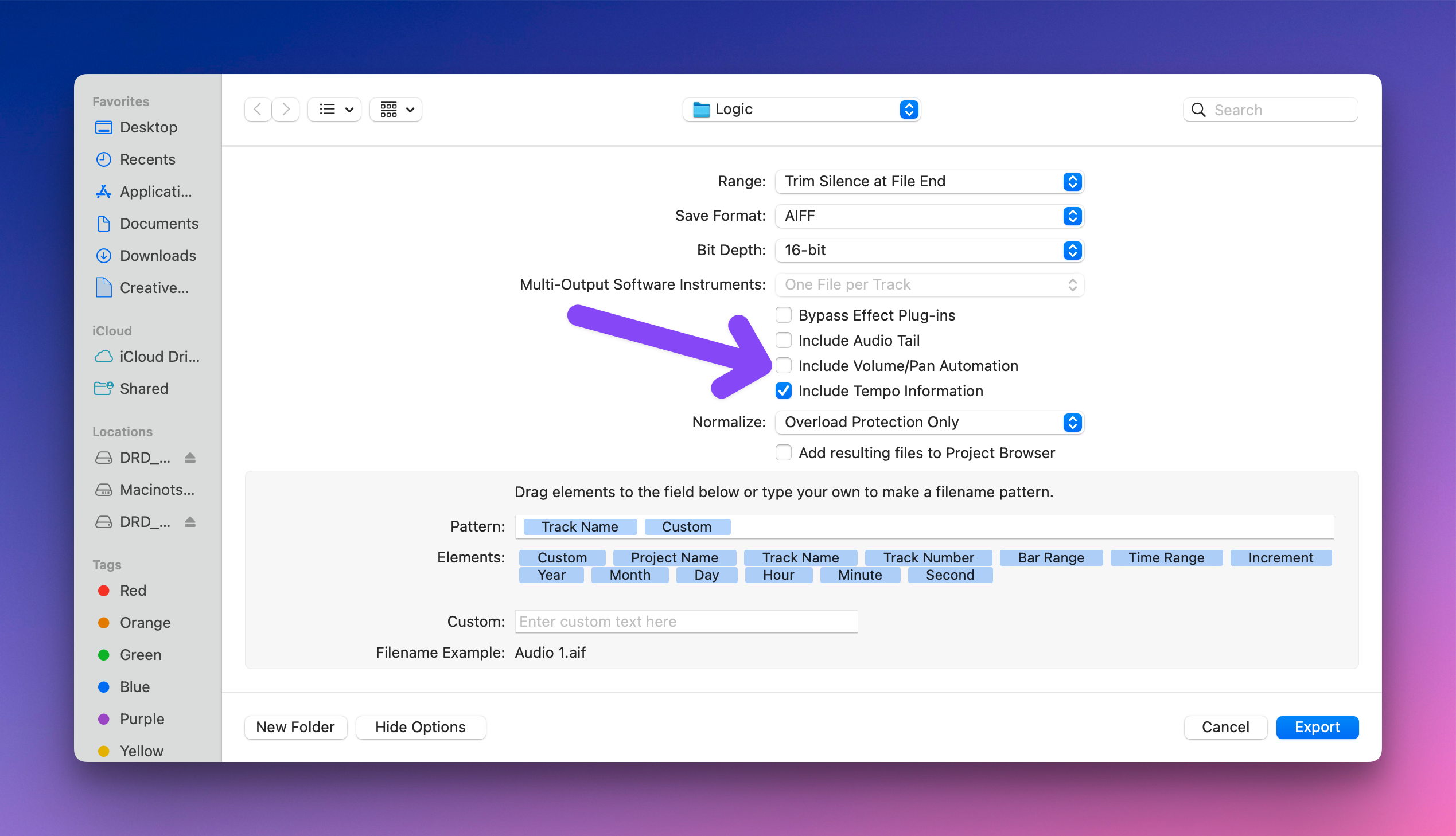
Now you can export a Mono UREI Click audio file just like you would for any other STEM or individual audio file just be sure to not check “Include volume/pan automations” in the export window.