Cubase Changing the Default Click Sound
Cubase: Changing the Default Click Sound
📝 Note
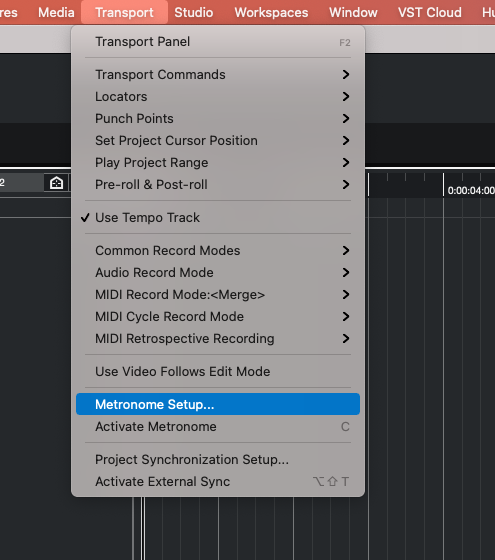
- Choose “Metronome Setup…” from the Transport Menubar dropdown menu.
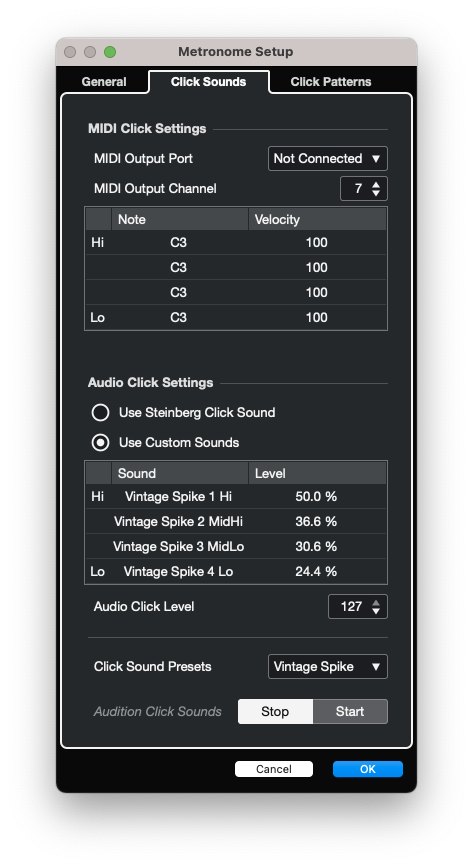
- Navigate to the “Click Sounds” tab.
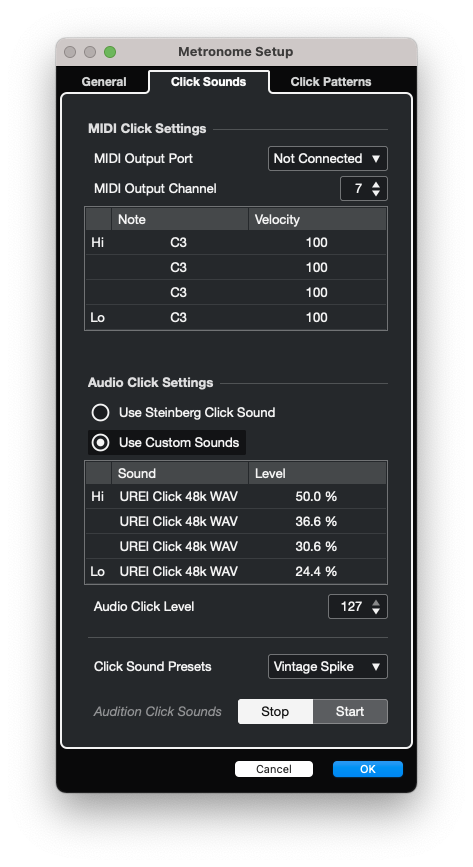
3)Then set all the Custom Sounds to the downloaded UREI Click .WAV file.
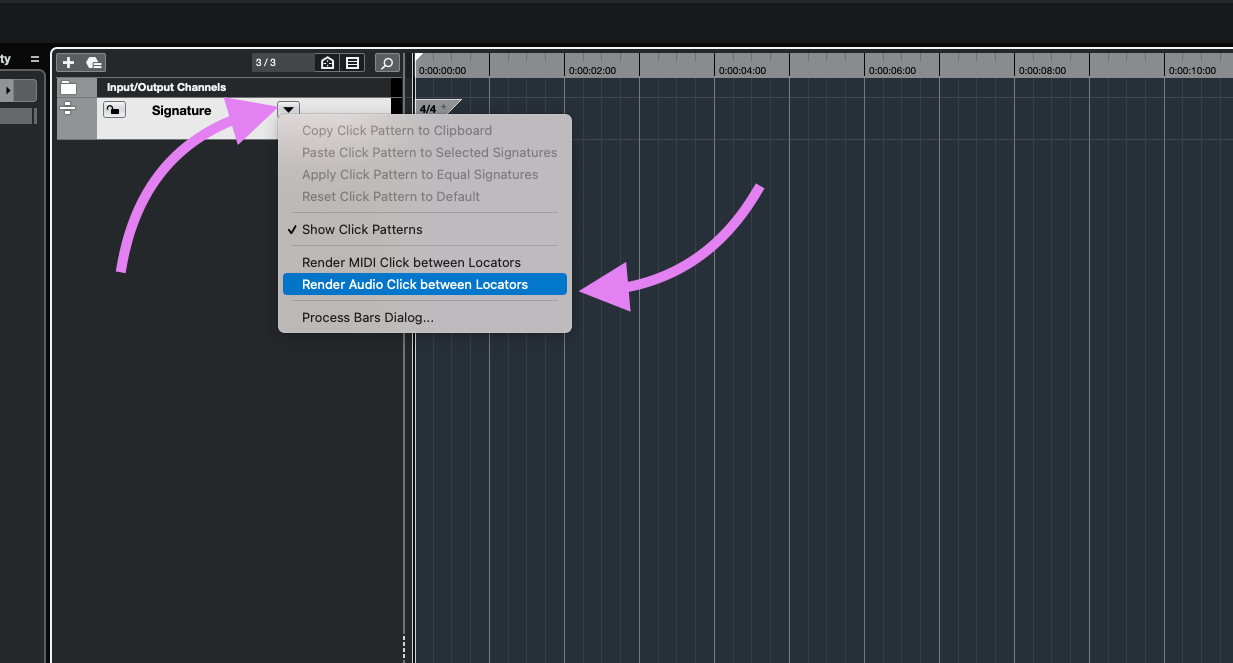
- To create a visible Click track, first set your locators to the full duration of your project, then click the dropdown menu on your Signature track and select “Render Audio Click between Locators.
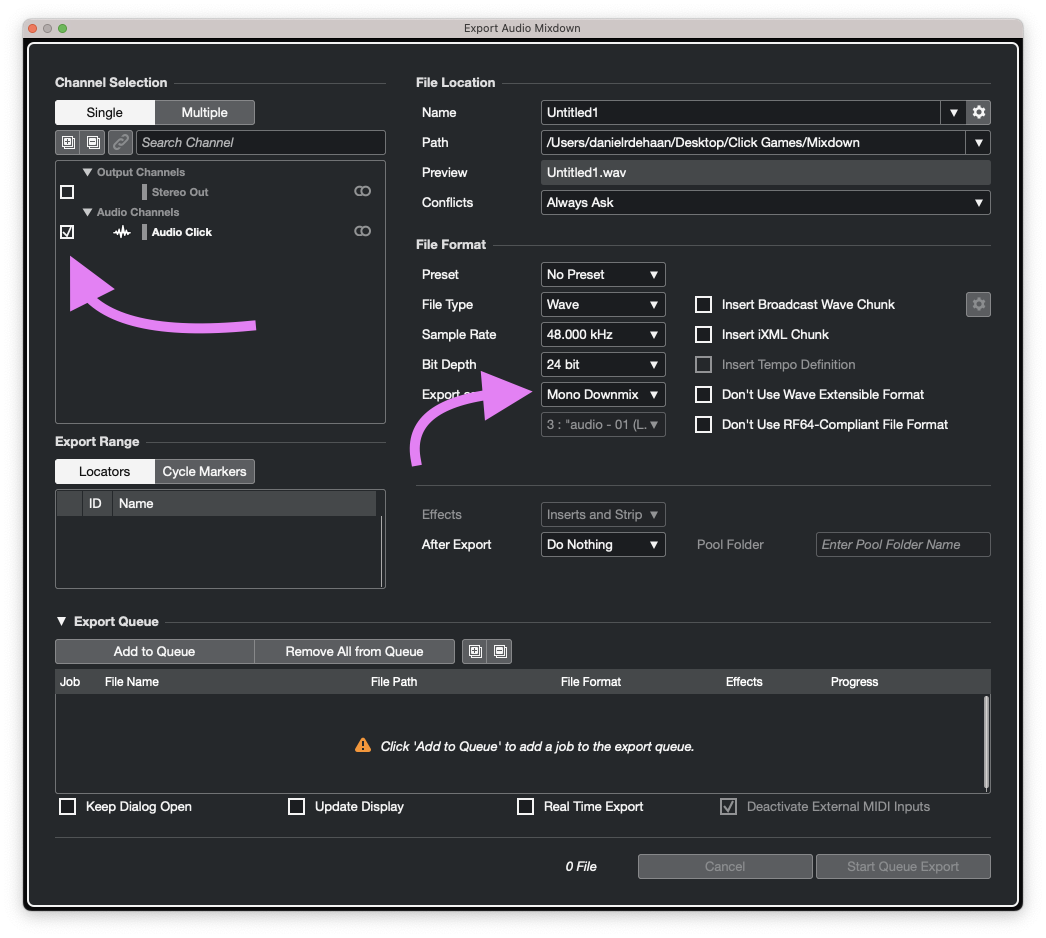
- To Export a Mono .WAV file. Open the “Audio Mixdown…” window, select your Click track and set it to export as a “Mono Mixdown”