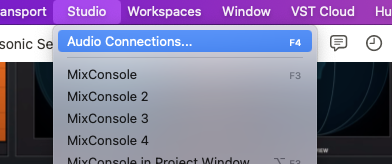
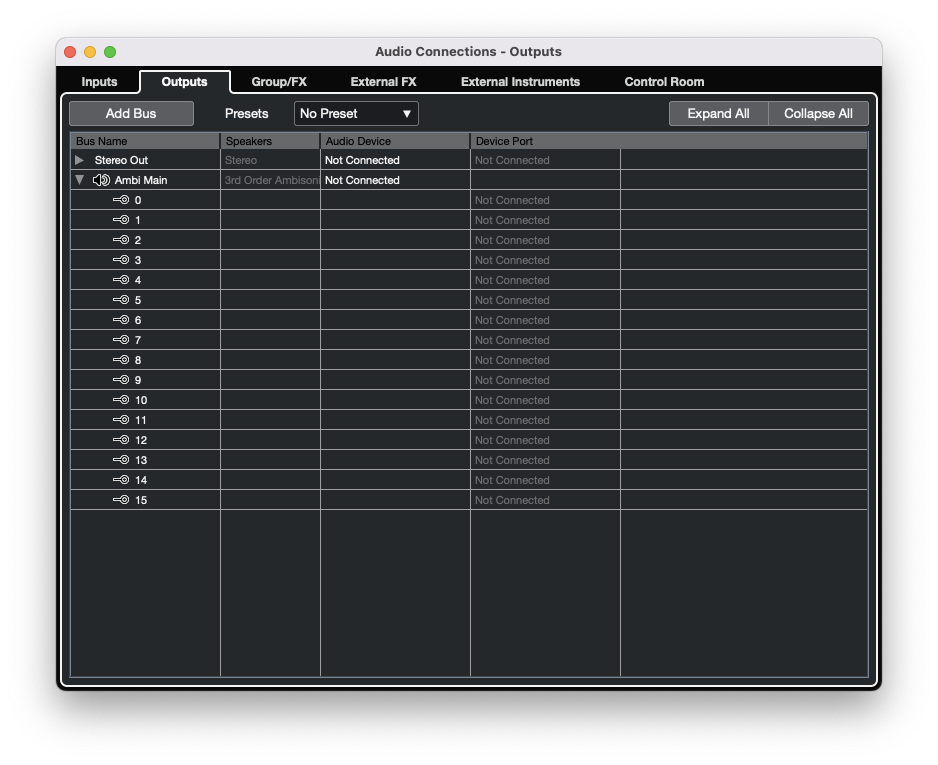
Create a new Third-Order Ambisonic Output Bus that is not connected to any output device.
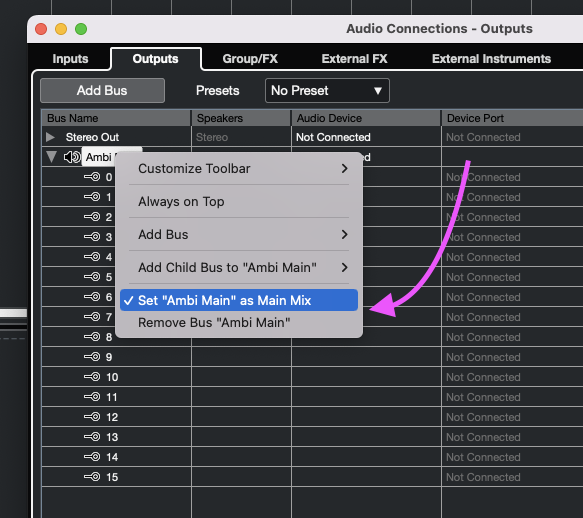
Right-click on the new Ambisonic Bus and set it as the “Main Mix”
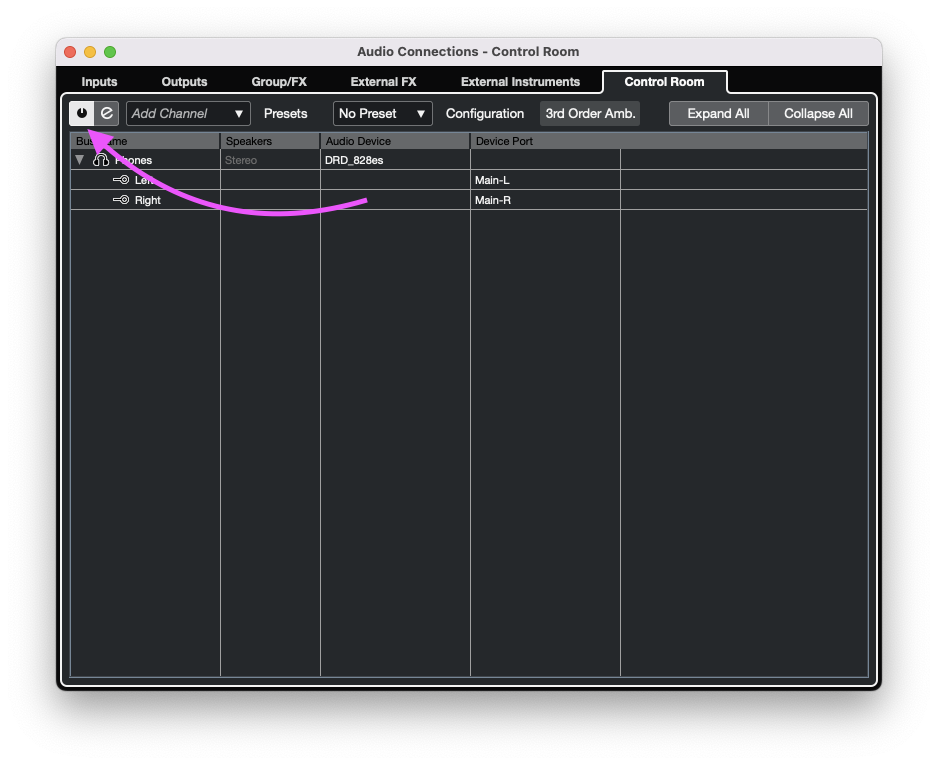
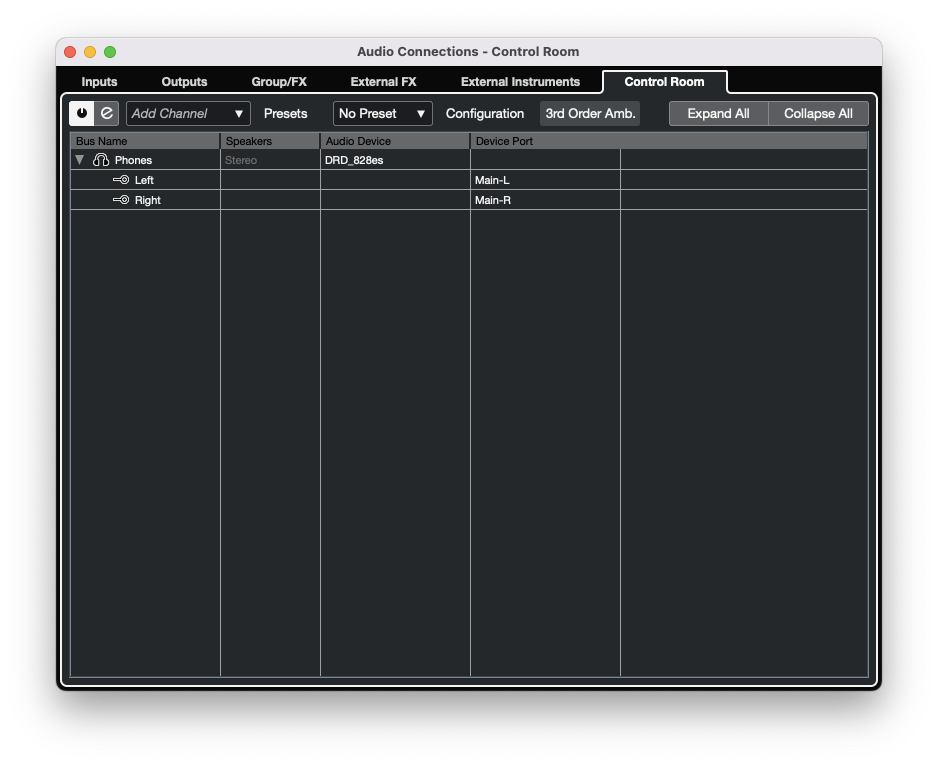
Switch to the “Control Room” tab of the “Audio Connections…” window and enable Cubase’s Control Room.
Right-Click to add a “Phones” Bus and connect it to your audio interface.
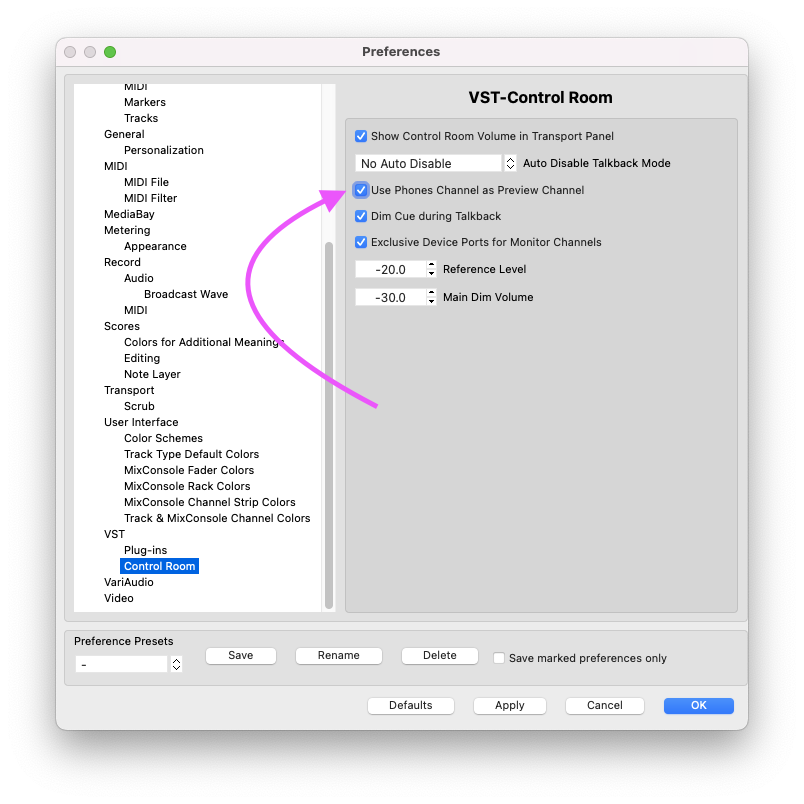
Open Cubase’s Preferences window and navigate to the Control Room preferences tab and enable “Use Phones Channel as Preview Channel”. Then click “Apply” and close the Preferences window.
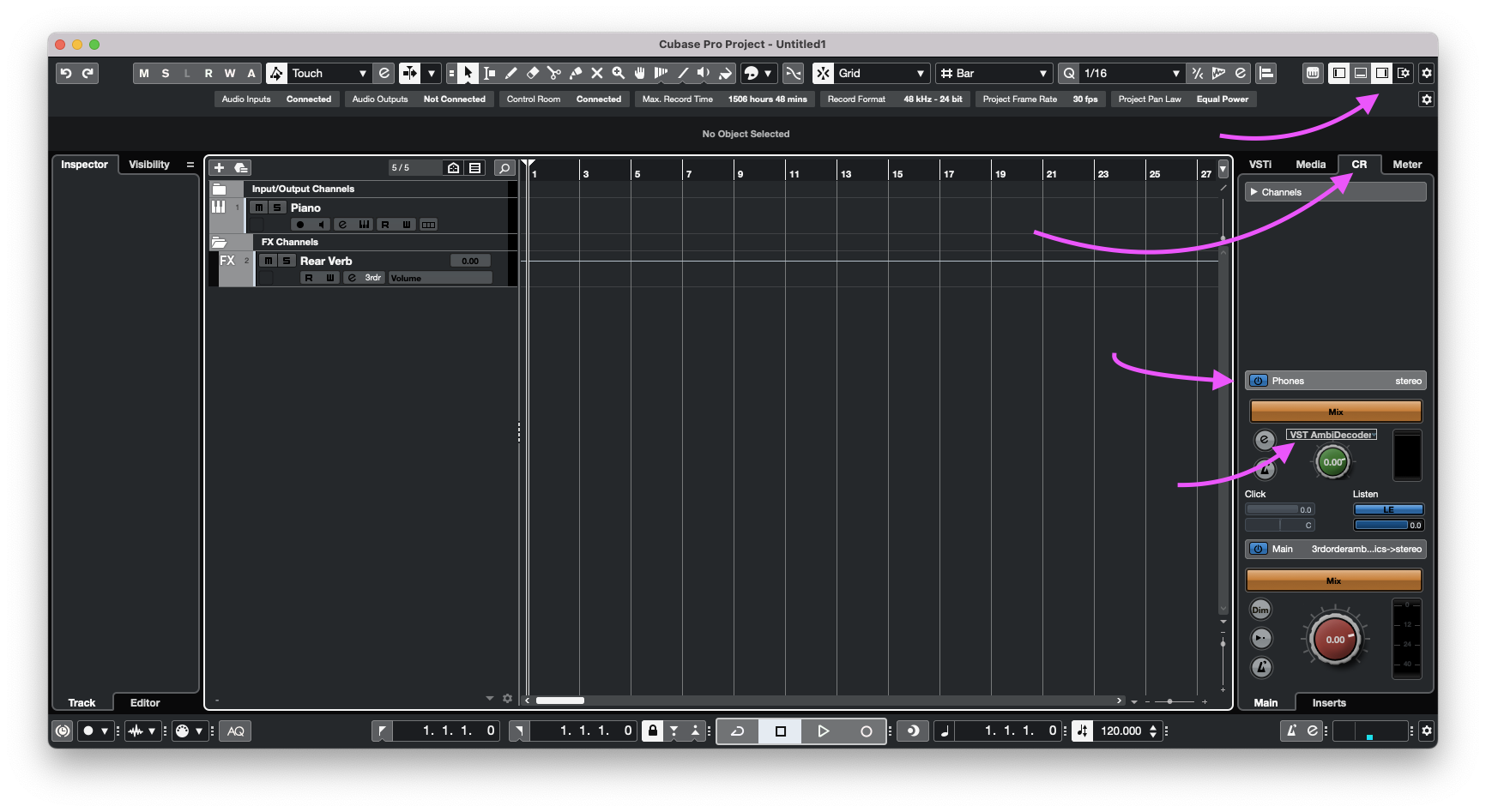
You should now see the new “Phones” output in the Control Room window on the right side of your Cubase window. Additionally you should also see that it hosts the “VST Ambidecoder”
Create, or route any mono/stereo track to the new Ambisonic Bus. The VST Ambidecoder on the Control Room Phones output track will handle decoding your 3rd-order Ambisonic elements to binaural.